Showing posts with label Math Skills. Show all posts

Wednesday, August 10, 2022

Online Math Curriculum for Your Homeschool

 A Mom's Quest to Teach: Online Math Curriculum for Your Homeschool - A Review of CTCMath 12 month family membership; math background

Disclosure: I received this complimentary product through the Homeschool Review Crew.

Math was a struggle for our oldest son for many years so I was happy when we were able to review CTCMath several years ago. Since that first review, CTCMath has been a staple of our homeschool schedule. Having a 12-month family membership to CTCMath has meant that I do not need to worry about how I will be teaching math to our younger two children. The video lessons, summaries, and weekly revisions are so helpful in an online math curriculum.

About CTCMath 


CTCMath is an online math curriculum for grades K-12. It has several key features which help parents and children master key mathematics concepts from addition and subtraction to geometry and calculus. Lessons are short and to the point and students can view the video lessons again if they need help on a specific point. You can even email CTCMath if your children need additional help. The customer support is fantastic. They really want your children to succeed in math.

As a homeschool family, we have access to every grade level for the children in our home. So while our children are working through first and third grade, I could move them up or down depending upon if they found the work too difficult or too easy. There are diagnostic tests and placement tests your children can take to see where they fit you don't want to assign them to a grade level. You can also use the diagnostic tests to skip lessons if your children are proficient in those skills. For example, for some of his third grade work, I asked our son to take the diagnostic test at the beginning of the section to see if he needed to complete the lessons within that section.


A Mom's Quest to Teach logo: Online Math Curriculum for Your Homeschool - A Review of CTCMath 12 month family membership; photo of tally mark lesson with math background


How We Are Using the Program in Our Homeschool 


CTCMath is the primary curriculum for our third grader. He is assigned to complete a lesson about three to four times a week. I merely write in his agenda that he is to complete CTCMath, and he will log on and complete the next lesson. With the addition of Mastery, he has been completing additional questions to achieve Mastery on the specific lessons.

For our younger daughter, we aren't using CTCMath as frequently during the week. I will often ask her to complete a lesson when I believe she needs extra work on a math skill or she needs to learn about a different mathematical topic than is in her current math curriculum. It provides a nice break for her to be online completing her mathematics lessons. She has also taken to completing additional questions to achieve Mastery.

There are many features to CTCMath that help your children engage in this online math curriculum. One of the features we are not using in our homeschool is that of assigning tasks. I used that feature when homeschooling our oldest so he would know specifically which lessons I wanted him to complete and when, but for our younger two children, I merely have them do the next lesson on CTCMath. Since they are completing their work at the dining room table rather than in their bedrooms, it is easier to monitor their math assignments on CTCMath.

Another feature that I am not currently using is the Question Bank Wizard. I did use that for our high schooler when he was using CTCMath, but I have not used it for our younger children. This allows you to pick lessons from different course levels and topics to create your own question banks to assign to your children.

These features are available in the parent login. The parent login also allows you to view your children's profiles and examine their specific grades on different lessons, try lessons and questions yourself, assign tasks, create question banks, browse lessons, download checklists, and export the data for your children's grades. I can also see when my children have logged in, what they completed, and how long it took them to complete those CTCMath lessons. I can also download awards to print out and see weekly reports (which I can have emailed to me).


A Mom's Quest to Teach; Math lesson logon list with awards


Our Thoughts 


Your children will be able to learn about math at their own pace and watch video tutorials as many times as they need to ensure mastery of a topic. CTCMath also allows for your children to be independent while working on their math. While I do sit by our children on a regular basis, I can also just ask them to log in and complete their work without my needing to be there for them.

Our younger son really enjoys CTCMath. He shared with me the following: 
"My favorite part about CTCMath is its fun math with videos and games. It's not just some test. It's fun! I think the ages are through 4 and a million. I mean it's like kindergarten through 12th grade. The newest thing is Mastery, where if you get three questions right you get a star. If you get one wrong though, you lose a part of the bar. (You don't lose stars though. Whew!). There's four stars so you'll need to do the same one [lesson] again to get a final grade. And for people who already have CTCMath before this update, you won't lose grades."

I think – of all the online math programs he has tried – CTCMath is our younger son's favorite program. He enjoys the videos and the multiplication game. I think he also likes the fact that he has control over his work. He can move at his own pace and see exactly how well he understands something as the program grades each question immediately.

While our son completed a lesson on tally marks, our daughter has been working on geometry. One of her recent lessons was on the cube. She enjoyed watching the video and bringing out her dice to physically examine a cube. So even though the program is online, you can easily include manipulatives or (for the older grades) print out worksheets so that your children complete math assignments offline. 

CTCMath Logo; A Mom's Quest to Teach: tally math lesson and cube lesson


I would recommend CTCMath for homeschool families. I find that one of the greatest features is your ability to move around within the different grades to pick the lessons that are right for your child. You are not beholden to one grade level since you get access to kindergarten through twelfth grade. And with the parent login, you can try out the different lessons and questions without it counting towards your children's grades. I like that I can refresh my memory on topics if I need to or just look through them to see what is coming up for our children.


If you are interested in seeing how other homeschool families use CTCMath in their homeschool, please visit the Homeschool Review Crew. And be sure to check out the homeschool discount offered CTCMath! 

Homeschool Review Crew Click here to read more reviews banner


Tuesday, October 27, 2020

Dice, Decks, and Boards: Math Sprint – The Mental Math Game

Text: Dice, Decks, and Boards: Math Sprint – The Mental Math Game; cover of board game; logo of A Mom's Quest to Teach

Disclaimer: I received a FREE copy of this product through the HOMESCHOOL REVIEW CREW in exchange for my honest review. I was not required to write a positive review, nor was I compensated in any other way.

We love playing games in our house, and those games that also help our children with their homeschooling and education have a special place on our shelves. If you are looking for a fun and educational way for your children to review their math skills, then you should definitely check out the latest game from Byron's Games. Math Sprint – The Mental Math Game has been a welcome addition to our game-schooling time as everyone in our family joins in to answer questions on one of the over 250 cards. 

Reviewing Math Sprint from Byron's Games has been so much fun with our children. Several nights, after dinner, we brought out the game to test our addition and subtraction skills. There are multiplication and division questions and word problems, but we used only those cards with addition and subtraction as we have a kindergartner, second-grader, and senior. If our children were older, we would have used all the cards provided. 

Recommend for ages 7+ --- 2 to 8 players --- 30 minutes of gameplay 


cover of Math Sprint game box


And Just What Do You Get in Your Bright Blue Box? 


  • Instructions 
  • One running track board (for gameplay) 
  • 258 Cards: These are divided into the following categories  
    • 92 addition and subtraction cards 
    • 106 multiplication and division cards 
    • 30 wild cards 
    • 30 challenge cards 
  • 10 dry erase cards (so you can make up your own questions) 
  • One dry erase marker 
  • 8 Runner playing pieces in 8 different colors (there are character names and pictures on the instruction sheet) 


Text: Dice, Decks, and Boards: Math Sprint – The Mental Math Game; Practice your mental math skills as you race around the board; image of cards & board game


How Do You Play Math Sprint? 


Math Spring allows you to be very flexible in game play based upon the ages and levels of the children playing the game. The objective of the game is to get to the finish line by answering the mental math questions correctly. You can include both the addition/subtraction cards and the multiplication/division cards or just one stack. (We only included the addition/subtraction cards. We did not use all of the wild cards and used none of the challenge cards when we played.) 

After you pick your playing piece – do you want to be Crystal Reaction, Bootstrap Byron, or one of the other characters – you put your runner in one of the lanes on the track labeled 1 to 8. There are three different lengths of gameplay available to you and your homeschooled children. You can run a 100m, 200m, or 400m game. The longer distances are better for advanced players or for after you have played Math Sprint several times. 

board game of Math Sprint

The first time we played, I misread the rules, and we only moved the runner forward one space after answering a question correctly. We fixed that error the next time we played, which made the game faster and more enjoyable for our five-year-old daughter. We liked the wild cards that allowed our runners to move forward additional spaces without having to answer mathematics questions.  

Each time we have played the game, we only raced the 100m dash, but both our younger children enjoy doing the ten jumping jacks as they get to the half-way point on the track. If we were playing the 200m dash, they would have five hops and ten arm circles to incorporate into the game. And if we were to play the 400m dash, the game incorporates balancing on one leg for five seconds, jogging in place for fifteen seconds, and ten torso twists. So even though children are not really running around a track, they are still getting their exercise!


examining the cards of Math Sprint and the board game


How Did We Use Math Sprint in Our Homeschool? 


We played the game after dinner time so that everyone – my husband, our homeschooled high school senior, our seven-year-old son, our five-year-old daughter, and myself – could play. Our family enjoyed that the "Coach" got to choose who would answer the question – everyone or just two runners. We quickly learned that our youngest son liked to try to have everyone even in the race. 

As our younger children get older, I can easily see us allowing them to play Math Sprint during our homeschool day to refresh their addition, subtraction, multiplication, and division skills. I think being able to answer these simple math questions quickly is important to their success in more difficult levels of mathematics.


Runners on Math Sprint board game


What Do We Think? 


I really like the quality of the game board and the cards. I can foresee them lasting through lots of gameplay with our homeschooling family. Math Sprint – The Mental Math Game is the perfect addition to our collection of educational and fun games for family game night. I also appreciate the fact that while there is a competition aspect to the game, it also allows children to work on individual skills to improve their mental math skills. 

Our seven-year-old son said that, while you are playing the game, if you don't know the answer to a question, you can learn it when one of your fellow gamers answers it correctly. So, you are learning even if you don't get to move your runner forward in the game. His favorite cards are the wild cards such as "you got distracted thinking about a new video game. Go back 1 space."

My husband said that he enjoyed having another reason for the family to gather and have fun at the table, all the while helping the littler ones learn. While parents can easily beat children in the game, it was fun to "lay off" and let the children "steal" answers and gain confidence in mathematics.

As I really like the concept of answering questions as your player moves around the racetrack, I would love to see Byron's Games introduce add-ons to Math Sprint. They could develop card packs with questions about language arts, social studies, history, science, and more. I think our family would definitely purchase additional card decks if it meant we could gameschool on more evenings together!

I think Math Sprint – The Mental Math Game would make a wonderful addition to your gaming shelves. It is both fun and educational. The gameplay is very easy to adapt to the level of your children as you can play a longer game as well as add in additional questions. 


Do You Want to Learn More? 


Bryon's Games logo

We had the privilege of reviewing another game from Byron's Games earlier in the year (March 2020) - Continent Race. We had so much fun with this game, too! 

WebsiteFacebook – Instagram 

Don't forget to read how other members of the Homeschool Review Crew played Math Sprint – The Mental Math Game in their homeschool! 

Click here for more Homeschool Review Crew reviews logo


Monday, July 27, 2020

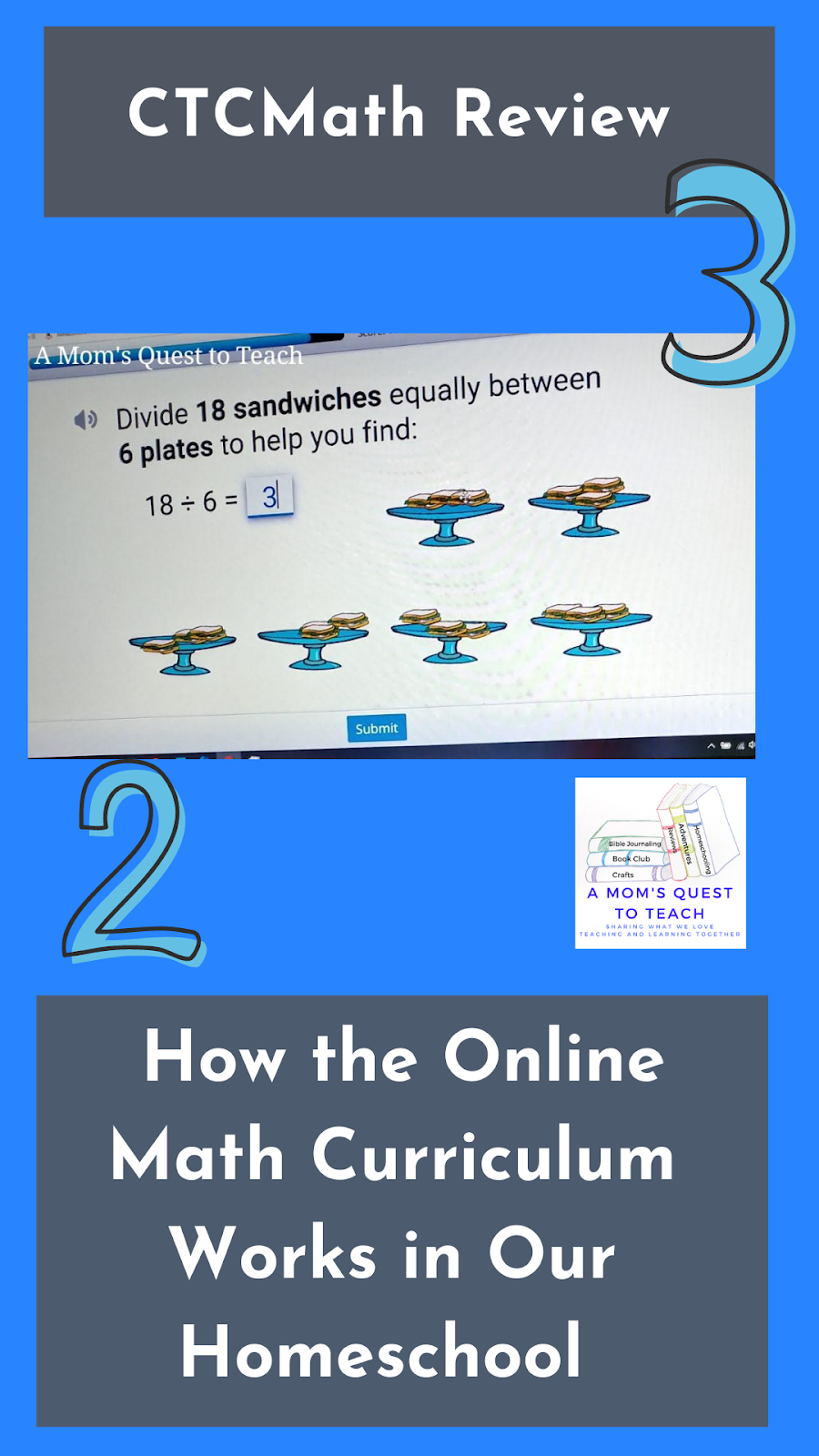
CTCMath Review: How the Online Math Curriculum Works in Our Homeschool

Text: CTCMath Review: How the Online Math Curriculum Works in Our Homeschool; background image of numbers

Disclaimer: I received a FREE copy of this product through the HOMESCHOOL REVIEW CREW in exchange for my honest review. I was not required to write a positive review nor was I compensated in any other way.


We have had the joy of using CTCMath in our homeschool for over a year now. Last year we reviewed the online math curriculum with all three of our children – using the kindergarten, first grade, and algebra II levels. This year, we were fortunate that our subscription was extended so we could review the next levels for our younger children (we are still discussing what mathematics our high school senior will be taking this upcoming homeschool year). The 12-month Family membership allows us access to all the grade levels and lessons. So, if one of our children is struggling, we have to find the right lessons to help them succeed.

CTCMath offers clear, spoken explanations for all levels and mathematics topics through their site. Simple and concise diagrams are used to accompany the instructional videos. You can even download and print a summary of the lesson for your children. There are so many great features that even after using the program for more than a year I am still finding new ways to use it.

What Are the Benefits to Using CTCMath in Your Homeschool? 


Text: CTCMath Review: How the Online Math Curriculum Works in Our Homeschool; clip art 2 & 3; screen from CTCMath
  • Students can see and hear the information 
  • There are no distractions from other students (unless their brother or sister is nearby) 
  • Your child can stop and remind the video to hear the information again 
  • Your children can use pencil and paper to work out mathematical problems 
  • With interactive questions, your children receive immediate feedback – no waiting for a worksheet, quiz, or test to be graded 
  • You can print out your child's work to review or for your homeschool portfolio 
  • If you have a question, there is a handy parent guide with helpful videos 
  • You can move your child to a different grade level or course whenever you want to
  • Your child can take diagnostic tests whenever you or they feel the need to so you can see where they stand 

How Did We Use CTCMath in our Homeschool? 


Our daughter had already completed the kindergarten level, so we continued to move along with the first-grade lessons. Some of the topics have been a bit more difficult for her (which is understandable as she is only five) so we have been working through the lessons slowly. Here is a sampling of what she has learned about the following in the first grade curriculum: 
  • Adding up to 20 
  • Subtracting up to 10 
  • Recognizing Groups
  • Doubles 
  • Introduction to Division 

United States Curriculum for 1st grade; course schedule under Number, Patterns, and Algebra

In the next few weeks, we will be taking a look at fractions, patterns, and money. I will also incorporate more of the diagnostic tests and weekly revision tasks to ensure she is understanding what she is learning. And if she is having difficulty, then we can go back to the lesson to review the topic again. We can even go back to review kindergarten topics. CTCMath allows you to move between grade levels because you have access to the entire curriculum. 

I can also print the lesson summaries so she can refer to them as she completes the questions. We can also use them to review offline. Most times, she just wants me to open the summary in a separate tab so she can reference it while she is completing her questions.

Chart on how to double numbers from CTCMath


I also really like how division was introduced to our daughter. The videos did a great job of providing multiple examples. Then the questions allowed her to work through the problems so she could really see what division means. For example, she had to move the sandwiches to different platters to create equal piles. She was physically (online) dividing them up.


Introduction to Division screen from CTCMath

Division Question - separating out sandwiches onto plates


Our younger son completed his weekly revision tasks for the first-grade curriculum at the beginning of the review. I then had him start the second-grade curriculum. In the beginning, I decided to set tasks for him to complete. I used the tasks with his older brother last year for Algebra II. You schedule them through the parent account. I quickly went through and set assignments or tasks for him as you can see below.

Tasks from CTCMath


Well...my younger son did not want to complete his assigned task. He prefers to skip around and work on which topic he wants to on that day. So far this hasn't been a problem but he will soon discover that the mathematics concepts build upon each other and he will need to go in order. And if you complete the lesson without clicking on the task, then the task is marked as incomplete. 


2nd grade math grades from CTCMath
You can see by the dates on this report, he jumped around a bit when completing lessons.


This week, I watched our younger son complete a really interesting lesson on adding three numbers. I really liked how the questions presented him with a set of numbers and he had to pick the ones that would add up to a larger number. I appreciated how this was helping him think about mathematics in a different way.

screen from CTCMath "choose 3 numbers that add to 22"


I also decided to print one of the weekly revision tasks for our son to complete offline. He completed the questions at the dining room table and then entered the answers later online. You will need to print these questions in color for some grades because the color of items in the question is sometimes important.

CTCMath Weekly Revision sheets printed out

CTCMath Weekly Revision sheet completed
I failed to change the printer margins so some of the questions were cut off when I printed the pages out.


During the school year, we will have our children complete lessons on CTCMath at least four days a week. Since we are homeschooling, sometimes those days might include a Saturday instead of a 'normal' school day. As it is the summer, I have not required them to work as often as they will in a few weeks. 

One of our children's favorite games on CTCMath is the Times Table Shoot 'Em Up game where they have to complete multiplication problems by shooting the alien ships. This is a timed game which they love playing over and over. There are also two other games – Speed Skills and Swap Pieces – that they do not play as often.

When your child completes the questions and gains 100%, the screen is filled with confetti to celebrate. A very fun way to encourage children!

CTCMath getting 100% on questions - confetti
You can see under the score, that you can generate a report so you can download the questions your child answered. 


And finally, another favorite of our children is changing the color scheme on their accounts. After each day's lessons, both kids will spend about five to ten minutes picking out which colors they want to pair together.

I highly recommend CTCMath. It is an excellent online math curriculum for your entire homeschooling family! 

Do You Want to Learn More about CTCMath? 


CTCMath logo


Please read the rest of the Homeschool Review Crew's reviews!

Homeschool Review Crew Click Here Logo

Thursday, June 18, 2020

Homeschooling Resources: Mathematics

Text: Homeschooling Resources: Math; logo of A Mom's Quest to Teach; background image of mathematics graphics

This post contains affiliate links. For more information, please see my Terms of Use and Disclosure Policy page. Thank you.

One of the subjects that many struggle with is mathematics. Whether you had trouble with the subject yourself or you came to it naturally you may wonder, "Just how will I teach math in my homeschool?" Fortunately, there are many resources from full curriculum products to products that help your children, whether you homeschool or not, practice key skills.

Full Mathematics Curriculum Choices 


text: Homeschooling Resources: Mathematics; Practice important math skills online & offline; background image of graph paperIf you prefer an online curriculum, CTCMath is an excellent choice. We received a free yearly membership to the online math curriculum for our three children as part of the Homeschool Review Crew. Our daughter has completed the kindergarten level while our younger son is finishing up the first-grade work by completing the semester reviews. Our 11th-grade son was using CTCMath for Algebra II. Each lesson is very similar in that there are short videos to teach a concept and then questions online (or offline for the older students) to be completed to show mastery of the concept. One of my favorite parts is that our children can move between courses and topics as they discover work is too easy or too difficult for them to complete. I love the flexibility of CTCMath.

Another place where homeschooling parents can turn to for full math curriculum is SchoolhouseTeachers.com. There are 29 math courses (at the time of the publication of this post) which range from full-year courses like Stretching Higher with Third Grade Math to short courses like Decimal Workshop that focus on specific skills your child will need in their homeschool career. The math courses at SchoolhouseTeachers.com range from courses with video lessons to ones with text-focused courses. So there is flexibility there, as well.

Decimal Workshop graphics for course

Help For Students 


There are numerous online math programs that can help children of all ages focus on specific math skills or just review basic mathematical concepts. Our family has been blessed with reviewing quite a few including (links to my reviews are through the name of the program):

  • Mathseeds - An online program offered through Reading Eggs with workbooks you can purchase if you prefer to work on math offline. 
  • Math Shed - An online resource that allows your children to focus upon number bonds, addition, subtraction, and more.
  • Matific Galaxy - An online resource where children work through different planets reviewing time, money, addition, subtraction, and more. Our children had access to the desktop and app version of Matific Galaxy during our review. 
  • Page A Day Math - A series of workbooks (or worksheets you print if you prefer to order the digital workbooks) that focus upon addition, subtraction, multiplication, and division depending upon which kit you purchase. The goal of Page A Day Math is to improve math fact fluency. 

Our children have enjoyed all four of the programs I mentioned above. I really like that with Mathseeds and Page A Day Math, our children can work on their math skills offline with workbooks. With both Math Shed and Matific Galaxy, our children feel like they are playing games rather than just working on building their math skills.

math worksheets and website practice


What Resources Do You Use in Your Homeschool to Teach Math? 


In addition to the resources I already highlighted, we have used material from IXL, I Know It, Channie's Neat Numbers, The Critical Thinking Co.™, and more to work on mathematics in our homeschool. There are so many options available for homeschooling families which is the beauty of homeschooling – multiple curriculum choices and quite a lot of flexibility in using them.

Wednesday, June 10, 2020

Solving Problems Using Critical Thinking: A Review of Dare to Compare Math: Beginning

A Mom's Quest to Teach logo; text: Solving Problems Using Critical Thinking: A Review of Dare to Compare Math: Beginning; background of numbers

Disclaimer: I received a FREE copy of this product through the HOMESCHOOL REVIEW CREW in exchange for my honest review. I was not required to write a positive review nor was I compensated in any other way.

Critical thinking skills are very important. It may seem a great challenge to find unique ways to help children practice those skills but this does not have to be the case. The Critical Thinking Co.™ offers a wide range of products to help homeschooling parents. From a book that can help preschoolers to second graders evaluate problems to come up with their own solutions to Vocabulary Virtuoso: PSAT-SAT Book 1 which helps students become familiar with vocabulary, there are many products available that can assist homeschooling parents as they educate their children. (We reviewed Vocabulary Virtuoso last year; read my review here.)

We used Dare to Compare Math: Beginning with our soon-to-be second-grade son. I used it as a supplement to his current homeschool math curriculum. Each day I asked him to complete three to four questions on his own. If he needed help, he either asked me or his dad. Most of the time he was able to work through the problems independently. On those where he needed help, it was mostly because we have not done much work with two-digit addition or subtraction or division.

Dare to Compare Math: Beginnings book cover

What Is Dare to Compare Math? 


The format of Dare to Compare Math takes traditional math problems where children need to complete a single calculation and incorporates two or more calculations necessary for children to come to a final answer. Children will compare scores, patterns, cost of meals, fish caught, geometric shapes, and more. The problems are non-routine but accessible.

Children will work through a number of different areas of mathematics including (those in bold are addressed in Dare to Compare Math: Beginning which we reviewed)

    Text: Solving Problems Using Critical Thinking: A Review of Dare to Compare Math: Beginning; book cover of Dare to Compare Math: Beginning; background clip art of addition, multiplication signs
  • Number operations 
  • Counting 
  • Measurement
  • Logic
  • Geometry
  • Graphing
  • Elementary algebraic reasoning
  • Patterns 
  • Fractions 
  • Rates 
  • Ratios
  • Proportional thinking 
  • Percentages 


child work on Dare to Compare Math: Beginning Workbook

A Typical Homeschool Day Using Dare to Compare Math: Beginning 


On most days, I handed over the 96-page paperback book to our son and he worked through three to four problems independently. When he was finished, I would check his work. There were very few cases where he had not worked out the solutions correctly. I did tell him that he was allowed to flip through and try different problems from among the 150 presented. For the first 20 questions or so, he completed one question after another. But then around question 25, he began skipping a few.

child working on Dare to Compare Math: Beginning workbook


If he came to ask me for help, it was very easy to help him. Since most of the questions required him to complete multiple calculations, I could show him how to complete half the problem and then he could continue it on his own. He then could take the information to complete the comparison.

Dare to Compare Math: Beginning workbook page
We worked through the top question here about the knees of cockroaches together.


And what happened when I was confused? There are hints located after the problems in the back of the book. So if I was stuck, I could turn there to give our son some pointers and tips. And finally, we could check the work completed using the solutions which followed the hints.

What Did We Think? 


I really liked that while working on the problems in the workbook, I got to see how my son thinks and solves problems. There were more than a few instances where I started to explain things and he just wrote down the answer. He definitely seems like he can more easily solve math problems in his head than I can.

In the introduction, it states, "The solution process is open-ended, allowing students to create mathematical reasoning and to decide how to quantify to formulate a conclusion" (ii). Open-ended means that our son was able to get to the answer in whichever manner he was best able to do. This can prevent difficulty in math learning (e.g., our oldest struggled in math class when he attended public school because he could not show his work the way his math teachers wanted when he intuitively would try to solve problems via another method).

The fact the solutions do not just give you an answer—but provide you with a method of how to complete the answer—is a great bonus. For example, question number 36 asks children to determine whether each animal shelter has more dogs or cats. They are then given the total number of animals and how many of those animals are dogs. The hint prints the subtraction problem needed to find the number of cats while the solution provides each subtraction problem necessary to find the answer that both Furry Town and Happy Hairy have more cats while Fuzzy Village has more dogs.

Dare to Compare Math: Beginning solutions and hint pages
We could look here for help and the answer to which shelter had more dogs or cats.


What does our son think? Our son enjoys the problems which require you to fill in the blanks (for example, _____ + 4 = 15). He said, "I just love the book." Completing questions in Dare to Compare Math: Beginning for homeschool is not a chore for our son as he enjoys answering the various questions. He thinks it would be helpful for children who need to practice addition, subtraction, geometry, and more.

I think Dare to Compare Math: Beginning would be a great addition to one's homeschooling mathematics curriculum. On those days when you need to push mathematics a little bit more, you can very easily incorporate Dare to Compare Math: Beginning into your day.

Do You Want to Know More? 


The Critical Thinking Co.™ offered the Homeschool Review Crew several different books to review. Please be sure to check out the rest of the reviews! You can also review sample pages for the various books including the one we reviewed: Dare to Compare Math: Beginnings.

The Critical Thinking Co. TM logo


Homeschool Review Crew Click Here Logo

Monday, June 8, 2020

Reinforcing Important Skills: A Review of Math Shed and Spelling Shed

text: Reinforcing Important Skills: A Review of Math Shed and Spelling Shed; A Mom's Quest to Teach logo; cloud background

Disclaimer: I received a FREE copy of this product through the HOMESCHOOL REVIEW CREW in exchange for my honest review. I was not required to write a positive review nor was I compensated in any other way.

Digital learning can be a great way to incorporate the practice of important skills such as math fact fluency and spelling. In our homeschool, when our kids can see learning as a game, they are even more excited about completing their daily tasks. Our family was given a one-year subscription to Spelling Shed and Math Shed to review in our homeschool. We used the program with our younger two children who are in kindergarten and second grade and used both the Spelling Shed and Math Shed platforms to practice different skills.

Text: Reinforcing Important Skills: A Review of Math Shed and Spelling Shed; "online spelling practice and offline activities and worksheets" images of Spelling Shed and Math shed enter screens and play screens

What is Spelling Shed? 


Spelling Shed is an online spelling platform designed by teachers with the goal of making spelling fun. While the practicing of spelling and learning new words is fun, it is also easy for adults – parents and teachers – to manage the platform. There is an entire curriculum available with the site that you can use or you can add your own spelling lists for your children. You can even assign weekly work in the Teacher Hub. 

So families (and schools) can use Spelling Shed either as a curriculum or a supplement to their own curriculum. I looked through the curriculum - which seems very thorough. There are 36 weekly spelling lists which contain one 20-30 minute lesson, resources to deliver the lesson, one spelling practice sheet, and one homework sheet. Since we already had a curriculum we were using, I put our spelling lists into Spelling Shed for our children.

Spelling shed word lists selection page
Our daughter was able to select her spelling list from this page. As you can see she has
worked on some more than others as indicated by the drone and the egg. 

What is Math Shed?


Math Shed provides number skills practice ranging from number bonds, addition, and subtraction to multiplication, division, and negative numbers. Students select which skill they wish to practice and then complete as many questions as they can correctly in 60 seconds. Just like with Spelling Shed, you can assign weekly assignments in the Teacher Hub.

Once your child is logged in and selects Math Shed, they will pick from the planets below to practice their different math skills. Once they pick a planet, they can even further narrow down the skill they wish to practice.

Math Shed selection page
What skill do you want to practice? 


Math Shed times table selection page
Be even more specific – which area in multiplication? 

How Did We Use the Programs in Our Homeschool? 


We used Spelling Shed and Math Shed in two different ways in our homeschool. On some days, both children asked if they could play the games. They enjoyed working together to answer questions, played a modified version of hangman on Spelling Shed, and wanted to collect as many honeypots as they could so they could purchase clothing, backgrounds, and accessories for their avatar.

On other days, I asked each child to spend time completing at least one activity on each program. Depending on if they were eager to go do something other than homeschooling, they spent more or less time completing multiple activities.

For each of our children, I inputted their spelling lists and assigned them tasks to work with those lists. As they worked more and more with the lists, they saw that the characters transformed from larva to drone and to worker bee. Both children liked that they could go back and work on past assignments to practice those spelling lists again. 

What Do We Think? 


I really liked that both of our children enjoyed working with Math Shed and Spelling Shed. They asked to play and sometimes I had to stop them from working on the programs. Anytime that our children willingly complete homeschooling assignments, it makes life easier.

I also enjoyed playing the bonus game, Bee Keeper, with them. It was fun to see if we could identify a variety of words. I think this also helped them think outside the box and learn how to spell new and more difficult words. (The Bee Keeper game did get harder when it was pulling from their spelling lists.)


instructions for Bee Keeper Game on Spelling Shed
One of the bonus games from Spelling Shed.

I think that playing both Spelling Shed and Math Shed have helped both of our children increase their spelling fluency and math fact fluency. When working on his other math assignments, I see our son completing addition and subtraction questions more quickly and accurately. And I think the Spelling Shed has given our daughter encouragement with her reading and writing skills.

Finished page on Spelling Shed with spelling words listed
When children complete the spelling or math, it lists the words or problems and shows if they were correct or not.

I loved that we could include our own spelling lists into Spelling Shed using the Hub Dashboard. This made it very easy to incorporate Spelling Shed into our daily homeschooling routine. It also didn't make it seem like this was just another online program that we were using. It was connected to our children's lessons.

Hub Dashboard for teachers/parents on Ed Shed


I appreciate that our children could use the keyboard to type their answers if they wished or they could use the mouse to click on each letter as they attempted to spell it. This gives them another online resource to help practice keyboarding skills along with their regular homeschool work. And you can turn music, sound effects, and the reading of letters on and off in Spelling Shed. (I love an online resource where you can silence the background music.)

Finally, I also like that there are different levels. Below you can see how the easy levels and hard levels are presented in Spelling Shed. In the easier levels, the words are presented before spelling with fewer letter choices.

showing two screens of Spelling Shed; text: on the easy level, the word is presented and then, after hitting go, our daughter has to pick the correct letters to spell the word.

Spelling Shed spelling screen to spell the word we
Spelling the word we in hard level brings in some extra letter choices.

What Do Our Kids' Think? 


Our daughter's favorite part of Spelling Shed is the spelling of words. She likes counting in Math Shed. She also said she feels clever because the spelling is getting easier for her. She said it is helping her read better because she can read more books.

Our son loves that he can make his own lists in Spelling Shed. (He spends a lot of time looking around on his homeschool online resources to figure things out and find out what he can do.) He said, "I love that you can search for lists that people have made." He also likes the extreme level in Spelling Shed. He has set up his own lists where it requires him to capitalize letters (there is a button on the screen that acts as a shift key). When I asked him about Math Shed, he said, "I like the bonds to ten (number bonds)." He does see improvement in his math fact fluency after using the different parts of Math Shed. 

If you are looking for online programs to assist your children in spelling or mathematics, I recommend you taking a closer look at Spelling Shed and Math Shed. Our son said he would recommend Math Shed to someone if they were really struggling in mathematics. He also thinks Spelling Shed could help children of all ages who have difficulty with spelling. I think Spelling Shed and/or Math Shed might be good fits for your home during the summer break or your homeschool year-round if you want to practice skills. 

Do You Want to Learn More? 


EdShed Logo

Many Homeschool Review Crew families were given the opportunity to use Math Shed and Spelling Shed in their homeschools. Please check out their reviews to see how they used them.

Homeschool Review Crew Click Here logo