Showing posts with label Learning Online. Show all posts

Monday, July 27, 2020

CTCMath Review: How the Online Math Curriculum Works in Our Homeschool

Text: CTCMath Review: How the Online Math Curriculum Works in Our Homeschool; background image of numbers

Disclaimer: I received a FREE copy of this product through the HOMESCHOOL REVIEW CREW in exchange for my honest review. I was not required to write a positive review nor was I compensated in any other way.


We have had the joy of using CTCMath in our homeschool for over a year now. Last year we reviewed the online math curriculum with all three of our children – using the kindergarten, first grade, and algebra II levels. This year, we were fortunate that our subscription was extended so we could review the next levels for our younger children (we are still discussing what mathematics our high school senior will be taking this upcoming homeschool year). The 12-month Family membership allows us access to all the grade levels and lessons. So, if one of our children is struggling, we have to find the right lessons to help them succeed.

CTCMath offers clear, spoken explanations for all levels and mathematics topics through their site. Simple and concise diagrams are used to accompany the instructional videos. You can even download and print a summary of the lesson for your children. There are so many great features that even after using the program for more than a year I am still finding new ways to use it.

What Are the Benefits to Using CTCMath in Your Homeschool? 
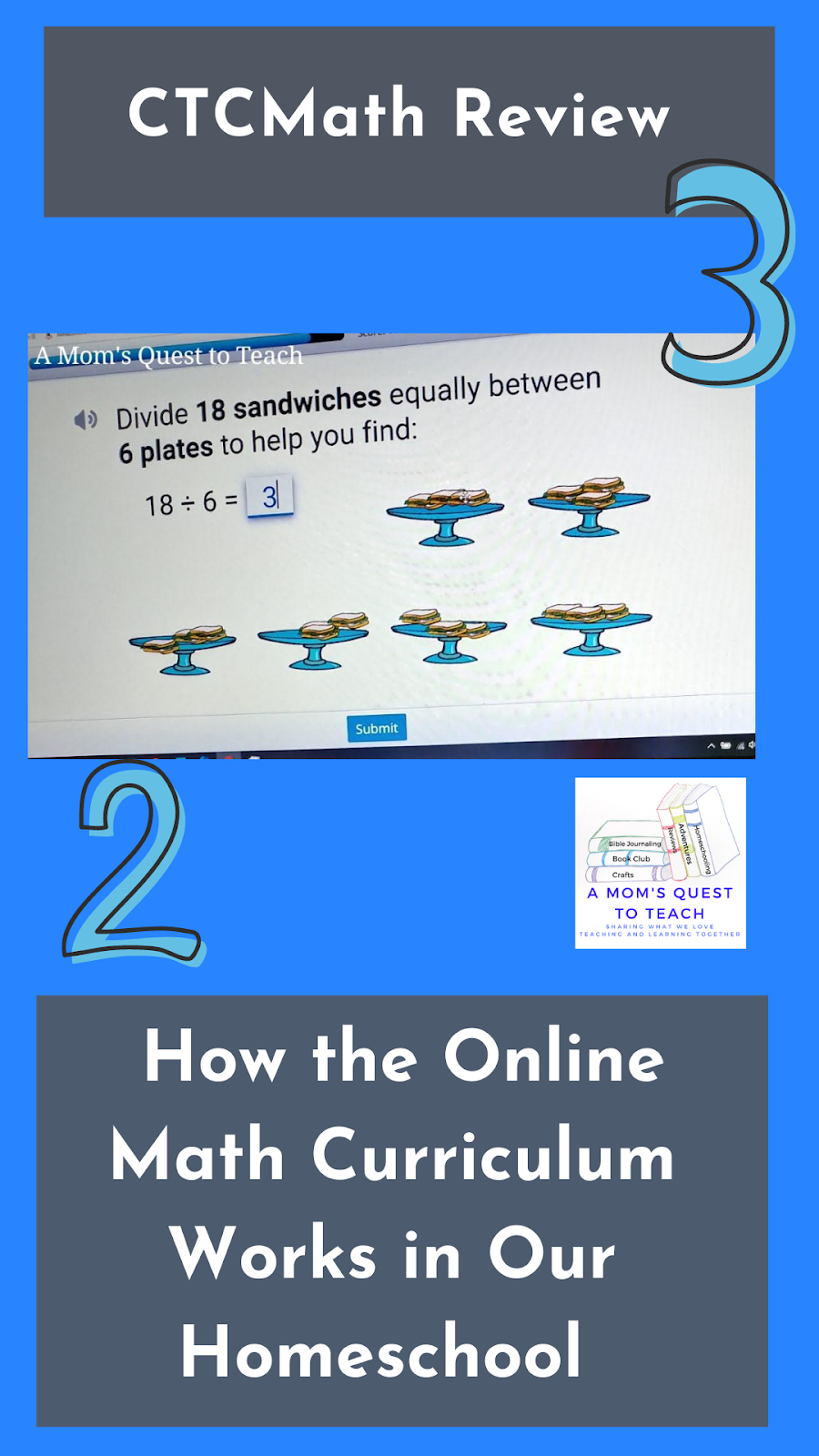

Text: CTCMath Review: How the Online Math Curriculum Works in Our Homeschool; clip art 2 & 3; screen from CTCMath
  • Students can see and hear the information 
  • There are no distractions from other students (unless their brother or sister is nearby) 
  • Your child can stop and remind the video to hear the information again 
  • Your children can use pencil and paper to work out mathematical problems 
  • With interactive questions, your children receive immediate feedback – no waiting for a worksheet, quiz, or test to be graded 
  • You can print out your child's work to review or for your homeschool portfolio 
  • If you have a question, there is a handy parent guide with helpful videos 
  • You can move your child to a different grade level or course whenever you want to
  • Your child can take diagnostic tests whenever you or they feel the need to so you can see where they stand 

How Did We Use CTCMath in our Homeschool? 


Our daughter had already completed the kindergarten level, so we continued to move along with the first-grade lessons. Some of the topics have been a bit more difficult for her (which is understandable as she is only five) so we have been working through the lessons slowly. Here is a sampling of what she has learned about the following in the first grade curriculum: 
  • Adding up to 20 
  • Subtracting up to 10 
  • Recognizing Groups
  • Doubles 
  • Introduction to Division 

United States Curriculum for 1st grade; course schedule under Number, Patterns, and Algebra

In the next few weeks, we will be taking a look at fractions, patterns, and money. I will also incorporate more of the diagnostic tests and weekly revision tasks to ensure she is understanding what she is learning. And if she is having difficulty, then we can go back to the lesson to review the topic again. We can even go back to review kindergarten topics. CTCMath allows you to move between grade levels because you have access to the entire curriculum. 

I can also print the lesson summaries so she can refer to them as she completes the questions. We can also use them to review offline. Most times, she just wants me to open the summary in a separate tab so she can reference it while she is completing her questions.

Chart on how to double numbers from CTCMath


I also really like how division was introduced to our daughter. The videos did a great job of providing multiple examples. Then the questions allowed her to work through the problems so she could really see what division means. For example, she had to move the sandwiches to different platters to create equal piles. She was physically (online) dividing them up.


Introduction to Division screen from CTCMath

Division Question - separating out sandwiches onto plates


Our younger son completed his weekly revision tasks for the first-grade curriculum at the beginning of the review. I then had him start the second-grade curriculum. In the beginning, I decided to set tasks for him to complete. I used the tasks with his older brother last year for Algebra II. You schedule them through the parent account. I quickly went through and set assignments or tasks for him as you can see below.

Tasks from CTCMath


Well...my younger son did not want to complete his assigned task. He prefers to skip around and work on which topic he wants to on that day. So far this hasn't been a problem but he will soon discover that the mathematics concepts build upon each other and he will need to go in order. And if you complete the lesson without clicking on the task, then the task is marked as incomplete. 


2nd grade math grades from CTCMath
You can see by the dates on this report, he jumped around a bit when completing lessons.


This week, I watched our younger son complete a really interesting lesson on adding three numbers. I really liked how the questions presented him with a set of numbers and he had to pick the ones that would add up to a larger number. I appreciated how this was helping him think about mathematics in a different way.

screen from CTCMath "choose 3 numbers that add to 22"


I also decided to print one of the weekly revision tasks for our son to complete offline. He completed the questions at the dining room table and then entered the answers later online. You will need to print these questions in color for some grades because the color of items in the question is sometimes important.

CTCMath Weekly Revision sheets printed out

CTCMath Weekly Revision sheet completed
I failed to change the printer margins so some of the questions were cut off when I printed the pages out.


During the school year, we will have our children complete lessons on CTCMath at least four days a week. Since we are homeschooling, sometimes those days might include a Saturday instead of a 'normal' school day. As it is the summer, I have not required them to work as often as they will in a few weeks. 

One of our children's favorite games on CTCMath is the Times Table Shoot 'Em Up game where they have to complete multiplication problems by shooting the alien ships. This is a timed game which they love playing over and over. There are also two other games – Speed Skills and Swap Pieces – that they do not play as often.

When your child completes the questions and gains 100%, the screen is filled with confetti to celebrate. A very fun way to encourage children!

CTCMath getting 100% on questions - confetti
You can see under the score, that you can generate a report so you can download the questions your child answered. 


And finally, another favorite of our children is changing the color scheme on their accounts. After each day's lessons, both kids will spend about five to ten minutes picking out which colors they want to pair together.

I highly recommend CTCMath. It is an excellent online math curriculum for your entire homeschooling family! 

Do You Want to Learn More about CTCMath? 


CTCMath logo


Please read the rest of the Homeschool Review Crew's reviews!

Homeschool Review Crew Click Here Logo

Monday, June 8, 2020

Reinforcing Important Skills: A Review of Math Shed and Spelling Shed

text: Reinforcing Important Skills: A Review of Math Shed and Spelling Shed; A Mom's Quest to Teach logo; cloud background

Disclaimer: I received a FREE copy of this product through the HOMESCHOOL REVIEW CREW in exchange for my honest review. I was not required to write a positive review nor was I compensated in any other way.

Digital learning can be a great way to incorporate the practice of important skills such as math fact fluency and spelling. In our homeschool, when our kids can see learning as a game, they are even more excited about completing their daily tasks. Our family was given a one-year subscription to Spelling Shed and Math Shed to review in our homeschool. We used the program with our younger two children who are in kindergarten and second grade and used both the Spelling Shed and Math Shed platforms to practice different skills.

Text: Reinforcing Important Skills: A Review of Math Shed and Spelling Shed; "online spelling practice and offline activities and worksheets" images of Spelling Shed and Math shed enter screens and play screens

What is Spelling Shed? 


Spelling Shed is an online spelling platform designed by teachers with the goal of making spelling fun. While the practicing of spelling and learning new words is fun, it is also easy for adults – parents and teachers – to manage the platform. There is an entire curriculum available with the site that you can use or you can add your own spelling lists for your children. You can even assign weekly work in the Teacher Hub. 

So families (and schools) can use Spelling Shed either as a curriculum or a supplement to their own curriculum. I looked through the curriculum - which seems very thorough. There are 36 weekly spelling lists which contain one 20-30 minute lesson, resources to deliver the lesson, one spelling practice sheet, and one homework sheet. Since we already had a curriculum we were using, I put our spelling lists into Spelling Shed for our children.

Spelling shed word lists selection page
Our daughter was able to select her spelling list from this page. As you can see she has
worked on some more than others as indicated by the drone and the egg. 

What is Math Shed?


Math Shed provides number skills practice ranging from number bonds, addition, and subtraction to multiplication, division, and negative numbers. Students select which skill they wish to practice and then complete as many questions as they can correctly in 60 seconds. Just like with Spelling Shed, you can assign weekly assignments in the Teacher Hub.

Once your child is logged in and selects Math Shed, they will pick from the planets below to practice their different math skills. Once they pick a planet, they can even further narrow down the skill they wish to practice.

Math Shed selection page
What skill do you want to practice? 


Math Shed times table selection page
Be even more specific – which area in multiplication? 

How Did We Use the Programs in Our Homeschool? 


We used Spelling Shed and Math Shed in two different ways in our homeschool. On some days, both children asked if they could play the games. They enjoyed working together to answer questions, played a modified version of hangman on Spelling Shed, and wanted to collect as many honeypots as they could so they could purchase clothing, backgrounds, and accessories for their avatar.

On other days, I asked each child to spend time completing at least one activity on each program. Depending on if they were eager to go do something other than homeschooling, they spent more or less time completing multiple activities.

For each of our children, I inputted their spelling lists and assigned them tasks to work with those lists. As they worked more and more with the lists, they saw that the characters transformed from larva to drone and to worker bee. Both children liked that they could go back and work on past assignments to practice those spelling lists again. 

What Do We Think? 


I really liked that both of our children enjoyed working with Math Shed and Spelling Shed. They asked to play and sometimes I had to stop them from working on the programs. Anytime that our children willingly complete homeschooling assignments, it makes life easier.

I also enjoyed playing the bonus game, Bee Keeper, with them. It was fun to see if we could identify a variety of words. I think this also helped them think outside the box and learn how to spell new and more difficult words. (The Bee Keeper game did get harder when it was pulling from their spelling lists.)


instructions for Bee Keeper Game on Spelling Shed
One of the bonus games from Spelling Shed.

I think that playing both Spelling Shed and Math Shed have helped both of our children increase their spelling fluency and math fact fluency. When working on his other math assignments, I see our son completing addition and subtraction questions more quickly and accurately. And I think the Spelling Shed has given our daughter encouragement with her reading and writing skills.

Finished page on Spelling Shed with spelling words listed
When children complete the spelling or math, it lists the words or problems and shows if they were correct or not.

I loved that we could include our own spelling lists into Spelling Shed using the Hub Dashboard. This made it very easy to incorporate Spelling Shed into our daily homeschooling routine. It also didn't make it seem like this was just another online program that we were using. It was connected to our children's lessons.

Hub Dashboard for teachers/parents on Ed Shed


I appreciate that our children could use the keyboard to type their answers if they wished or they could use the mouse to click on each letter as they attempted to spell it. This gives them another online resource to help practice keyboarding skills along with their regular homeschool work. And you can turn music, sound effects, and the reading of letters on and off in Spelling Shed. (I love an online resource where you can silence the background music.)

Finally, I also like that there are different levels. Below you can see how the easy levels and hard levels are presented in Spelling Shed. In the easier levels, the words are presented before spelling with fewer letter choices.

showing two screens of Spelling Shed; text: on the easy level, the word is presented and then, after hitting go, our daughter has to pick the correct letters to spell the word.

Spelling Shed spelling screen to spell the word we
Spelling the word we in hard level brings in some extra letter choices.

What Do Our Kids' Think? 


Our daughter's favorite part of Spelling Shed is the spelling of words. She likes counting in Math Shed. She also said she feels clever because the spelling is getting easier for her. She said it is helping her read better because she can read more books.

Our son loves that he can make his own lists in Spelling Shed. (He spends a lot of time looking around on his homeschool online resources to figure things out and find out what he can do.) He said, "I love that you can search for lists that people have made." He also likes the extreme level in Spelling Shed. He has set up his own lists where it requires him to capitalize letters (there is a button on the screen that acts as a shift key). When I asked him about Math Shed, he said, "I like the bonds to ten (number bonds)." He does see improvement in his math fact fluency after using the different parts of Math Shed. 

If you are looking for online programs to assist your children in spelling or mathematics, I recommend you taking a closer look at Spelling Shed and Math Shed. Our son said he would recommend Math Shed to someone if they were really struggling in mathematics. He also thinks Spelling Shed could help children of all ages who have difficulty with spelling. I think Spelling Shed and/or Math Shed might be good fits for your home during the summer break or your homeschool year-round if you want to practice skills. 

Do You Want to Learn More? 


EdShed Logo

Many Homeschool Review Crew families were given the opportunity to use Math Shed and Spelling Shed in their homeschools. Please check out their reviews to see how they used them.

Homeschool Review Crew Click Here logo

Monday, July 1, 2019

Improving Children's Reading via Online Programs: A Review of Dyslexia Gold


Our three children have been using the various programs available through Dyslexia Gold for the past several weeks. Dyslexia Gold offers several different options for schools and families. We were provided with a family license and a lifetime subscription to Dyslexia Gold Full Bundle for this review so all three of our children have been able to work on specific areas to improve their reading.

What is Dyslexia Gold? 


Dyslexia Gold helps children who are struggling with reading—whether or not they have Dyslexia. There are several programs that are designed to improve your child's reading. According to Dyslexia Gold there are four skills needed for reading:

  1. Eye control
  2. Phonological awareness
  3. Phonics
  4. Spelling
Two of the programs focus upon building these skills. Because children who are poor readers and/or are dyslexic often have trouble focusing both eyes on the same point and tracking across the page, Engaging Eyes was designed with 8 easy games. Tracking is not something that is tested at a regular vision test so it can often be missed. By regularly playing vision games, children can build their eye muscles and work on not skipping letters, words, or lines and more. 

In order to work on phonological awareness, Dyslexia Gold offers Fluency Builder which helps recognize that words have more than one sound. The example provided on the Dyslexia Gold site is that of the word 'goat.' It has three sounds 'g-oa-t' but often struggling readers do not recognize this fact. So in Fluency Builder, children practice sounding out words in numerous ways to build these skills. (Please see the screenshots below.) 


In spelling the words, each sound is on its own card. After the correct cards are placed, the sound is repeated out loud
by the program. When the whole word is spelled correctly, the word is said out loud.


The third online program is Spelling Tutor which improves spelling of 1,000 of the most common words. Spelling Tutor requires students to have a pencil and paper to write down sentences dictated to them. They then work on writing and rewriting the words they have spelled wrong. It is completely tailored to your child as they correct the words they have spelled wrong. For example, our six-year-old has used Spelling Tutor and has had trouble spelling 'phone,' 'called,' and other words. He has written them on numerous days and the spelling of the words are repeated on a set schedule. Once he has correctly spelled the word 7 times in a row over 21 days, he is deemed to be able to spell it correctly. 


Here our son is asked to write the word "would" as this is one of the words he previously spelled incorrectly.

The fourth program is Times Table Tutor. It teaches up to 12 x 12 at your child's own pace without timing or competition. The multiplication table is taught in three ways: concrete, pictorial, and abstract. Each session is rather long as it reviews the entire times table multiple times requesting that the child work faster and faster.


Note: Dyslexia Gold is a British-based company, so be aware that there are different spelling versions available (UK and American) as well as different pronunciations (English, American, Scottish, and Australian). 


How Did We Use Dyslexia Gold? 


Our three children were each instructed to work on different parts based upon their needs and age. Our teen primarily worked on Engaging Eyes, our four-year-old (the program is recommended ages 5+) worked on Fluency Builder, and our six-year-old primarily focused upon Fluency Builder but has also spent time working on Spelling Tutor and Times Table Tutor. Both of our younger children have spent time using Engaging Eyes.

Our Teen 


Our teen suffered a concussion in November 2017 during an ice hockey game and as part of clearing him to rejoin his hockey team, we needed to see a  vision therapist/optometrist for a special vision test. Through some of the vision tests, we were told he was having trouble tracking while reading. The doctor recommended more reading (30 minute sustained reading) or additional (and very expensive) visits. I saw the opportunity to review Dyslexia Gold, specifically Engaging Eyes, as a perfect way for our teen to work on tracking.

When our teen first started using Engaging Eyes, I frequently checked in with him to make sure Engaging Eyes was not causing headaches or vision problems. He never seemed to have any headaches from doing the vision training. The only problem he has run across is that sometimes when looking away from the screen during Target Practice, he finds his eyes would lose focus and he had trouble being able to hit the targets. This has happened less and less as time as progressed.

I also asked him if he felt there was any improvement in his vision. Without a trip to a vision therapist we can't know for sure but he does feel that there is an improvement. It is hard to quantify but things are a bit easier for him than before starting Engaging Eyes. He finds reading to be an easier task.


This is the Engaging Eyes report children see at the end of the day's activity. 


Our Six-Year-Old 


In reviewing Dyslexia Gold, I wished our six-year-old son to work on improving his reading as well introduce him to spelling and multiplication (mostly because he wanted to see what the Times Table Tutor was like after his older brother checked it out). He did spend the majority of the review period working on the lessons in Fluency Builder with several spelling lessons and multiplication lessons spread throughout the time. 

I find that Fluency Builder has greatly helped our younger son read more fluently out loud. Part of the lessons for him have been reading a non-fiction story aloud twice for fluency and timing for words per minute. I have noticed, sitting with him, that he is reading more clearly. 

We focused upon Fluency Builder with our younger son because the first spelling lesson with Spelling Tutor left him frustrated and in tears, so we took a break from it. I had no problems taking a break since this was his first experience with trying to spell words all by himself. We have now worked through several more lessons and he understands what is expected of him and can work pretty much independently. 


In addition to writing the sentences and words on paper, our son also typed the words on the computer.

I am really happy that what he is learning is being retained. The information our son read during Fluency Builder also stuck with him. For example, while we were talking about galaxies and space during lunch, he shared what he learned about reading about Astronauts on Fluency Builder.

At the end of reading the passage twice, our son answered three multiple choice questions.


There has been an improvement in reading speed for our younger son. He went from 110 words per minute in mid-April to 174 words per minute in late May. He will be tested again in mid-July.


Our six-year-old has had trouble completing the Target Practice with Engaging Eyes. He has trouble focusing upon the targets and has seemed to stall and not made much more progress. He has worked on using Whack an Alien just like his sister. We will revisit Engaging Eyes again in the near future with both of them.

Using the 3D glasses for the Target Practice in Engaging Eyes.

Our Daughter 


Even though our four-year-old is just one year shy of the recommended age, I saw her using Fluency Builder as the perfect opportunity to teach her reading. She has been wanting to learn how to read for almost a year but as her style of learning is very different than her brother's, I thought perhaps this program would help her build strong skills. 


During Fluency Builder she works through several different types of activities: 
  • Hearing sounds
  • Building words
  • Sorting by sound

Sometimes words would be sorted by sound and sometimes by spelling.

  • Finding words
  • Swapping letters
  • Reading speed (as our daughter only knows letters, she is not tested on this each lesson) 

Our daughter is reading words and sentences now. Even before we moved beyond some of the early lessons on Fluency Builder, she was recognizing and reading words. She is currently on level 37 of 50 of the easy level. As she completes more and more of the recaps, she seems to have an even better grasp of the words and sounds. 


My Thoughts 


Overall, I have been very happy with how the programs offered by Dyslexia Gold have fit into our homeschool. I feel that all three of our children will be stronger readers for having used the online programs. However I do have a few thoughts based upon some things that we have come across since April.

As Dyslexia Gold is an online program from the United Kingdom, we did have some problems with pronunciation of words and images used that confused our children (chips aka French fries, football aka soccer ball, torch aka flashlight, rugby player). Even with changing the pronunciation to American there were times that things were hard to understand based upon it being a computer program reading the words and saying sounds aloud.


We also had trouble with one of the Fluency Builder activities because we could not always understand the two words being said. In this activity, two words would be said (such as dad and did) and you would be asked which sound (first, second, or third) changed. In some of instances, the words said were difficult to hear (to make out the distinct differences). Fortunately, this activity was not part of every lesson.


Our younger children do not always like repeating exercises a second time during Fluency Builder. For example, when completing finding words, they are asked to complete each set twice. While I understand the importance of repeating the exercise, this often elicited groans from them.

Finding the words was one of the activities that was often repeated twice.

Sometimes during this activity, words would not disappear even if they had already been found and clicked.
This led to confusion for both of our younger children at times.

I do wish there was a bit more information in the reports and that I could find all of my children's information together rather than having to log in for each one separately. I could also see the reports presented at the end of each lesson as being discouraging for some children.

There were some days when our son or daughter would finish with very low percentages.
For some children, I could see them reacting negatively to this information.


Even though we have had few hiccups and difficulties with Dyslexia Gold, our family will continue to use the programs for each child that work best for them. We will probably hold off on using Times Table Tutor for a while for our two younger children but we will continue to work with Fluency Builder with both younger children. And our teen will continue to use the Engaging Eyes program as part of his regular homeschooling regime.

I would recommend you check out Dyslexia Gold if you have a struggling reader in your home. 

Want to Learn More about Dyslexia Gold? 


Would you like to see how other members of the Crew used Dyslexia Gold in their homeschool? Please be sure to visit to read their reviews